Wear OS
The Wear OS app lets you start, pause and stop activities from your watch. It works together with the app on your phone: the phone sends it your activity types, and whatever you start on the watch is tracked on the phone, and the other way round.
Getting started
- Install aTimeLogger Pro on your watch from Google Play
- Open the app on your phone — it sends your activity types to the watch
- Open the app on the watch
If the watch shows Connect to phone, open the app on the phone and tap Retry on the watch.
The main screen
Running activities are at the top with their timers, your activity types below them.
- Tap a type to start it. With Confirm before start on, the watch asks first
- Tap a running activity to Pause, Resume or Stop it
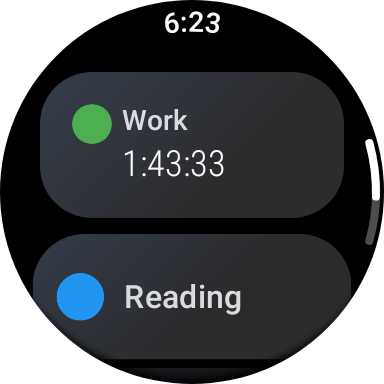
A running activity over the types
While an activity runs, the watch shows it as an ongoing activity, so you can get back to it from the watch face.
Tiles
Swipe from the watch face to reach the app's tiles. Add them in the watch's tile settings:
- Current Activity — the running activity with its timer and start time
- Quick Start — a few types of your choice, each started with one tap. Pick them in Configure Quick Start
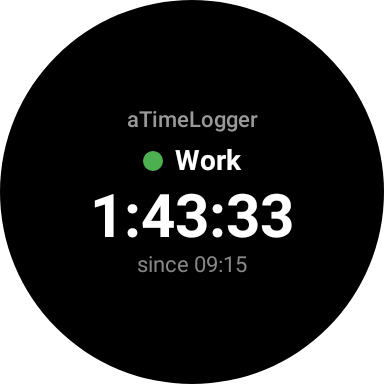
The Current Activity tile
Complication
The Current Activity complication puts the running activity on your watch face. Add it in the watch face's settings.