Goals
A goal turns tracking into something actionable. Instead of just recording that you slept 6 hours, the app can tell you that you are an hour short of your target — and warn you before the day is over.
Reach and Limit
Every goal is one of two kinds:
Reach — something you want more of, or at least enough of.
- Sleep at least 8 hours a day
- Exercise 30 minutes a day
- Work 40 hours a week
Limit — something you want less of.
- Social media under 1 hour a day
- TV under 5 hours a week
The difference is not cosmetic: progress bars, colours and notifications all flip meaning. Passing a Reach goal is success; passing a Limit goal is a warning.
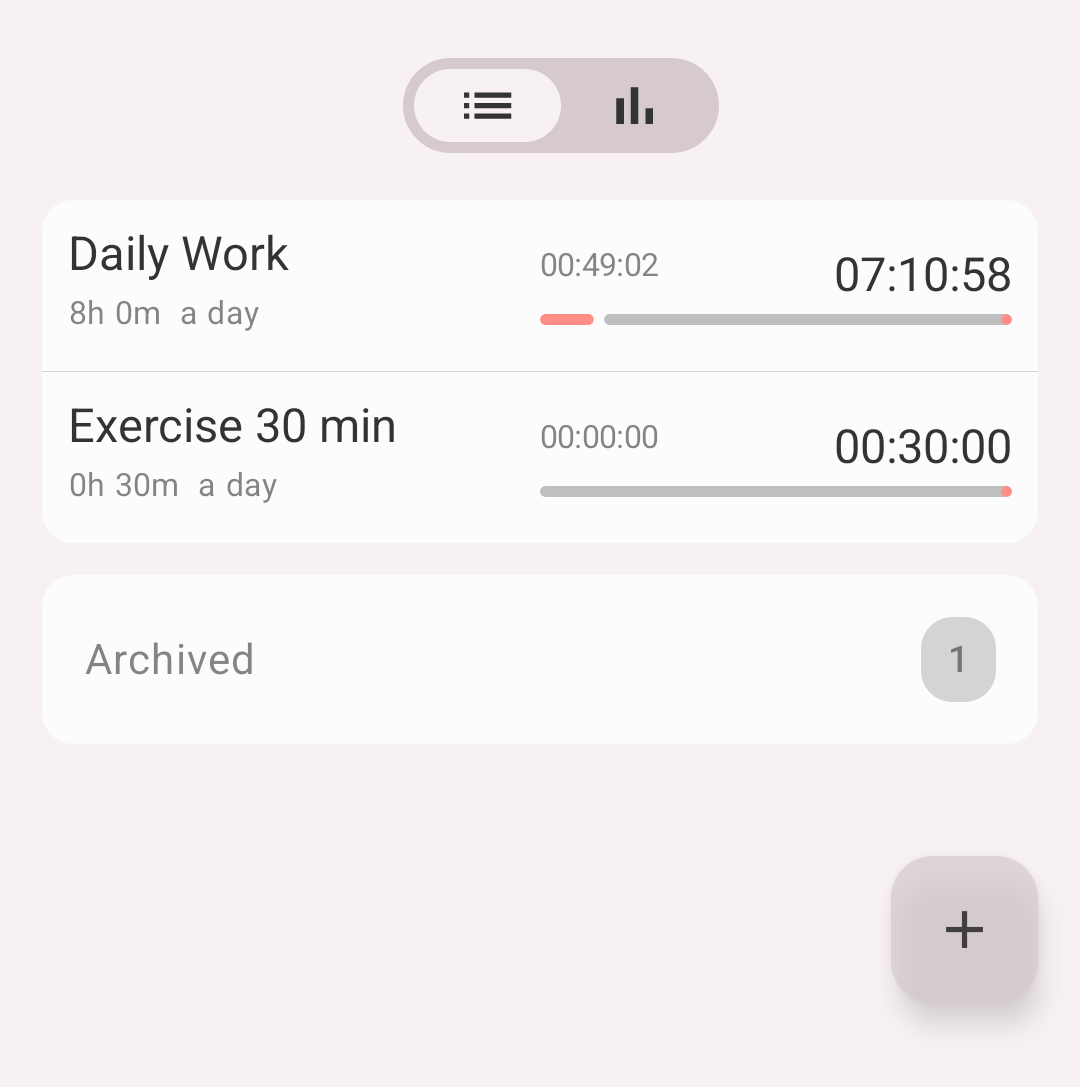
Goals tab with progress for the current period
Duration or occurrence
A goal measures either how long or how many times:
- Duration — "sleep 8 hours a day", "work 40 hours a week"
- Occurrence — "drink water 8 times a day", "exercise 3 times a week"
Occurrence goals work with any activity type, and pair naturally with occurrence types, which record events rather than durations.
Period
Duration goals can be measured per:
| Period | Meaning |
|---|---|
| Activity | Each activity session separately |
| Interval | Each individual logged interval |
| Day / Week / Month / Quarter / Year | Per calendar period |
| Total | Cumulative, all time |
Occurrence goals use the same calendar periods and Total.
Info
For sleep, prefer per activity over per day. A night's sleep crosses midnight, so a daily goal splits it into two half-nights and neither of them reaches 8 hours. See Statistics.
Creating a goal
- Open the Goals tab and tap '+'
- Fill in:
- Name
- Goal type — Reach or Limit
- Based on — Duration or Occurrence
- Period — from the list above
- Target — hours and minutes, or a count
- Types — one or more activity types the goal watches
- Tags — optional; only records carrying these tags count towards the goal
- Alerts — when to be notified (see below)
- Alert sound
- Tap Save
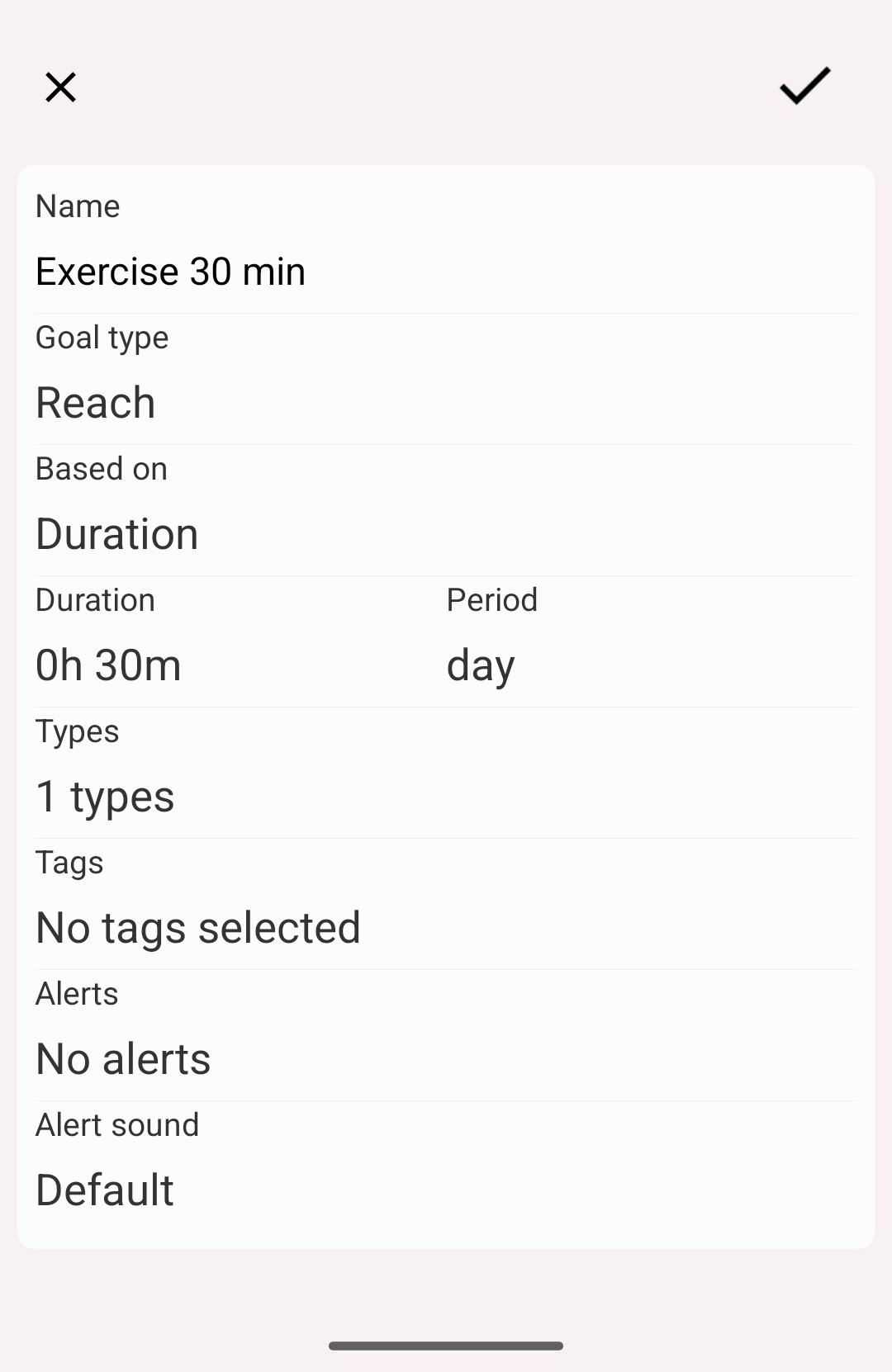
Creating a goal
Tags narrow a goal down
Tags are what let one activity type feed several different goals. Track everything as Work, tag records with the client, and a goal watching Work + tag "client A" counts only that client's hours. See Tags.
Alerts
An alert is a notification tied to the moment the goal is reached:
- At the time of the event — the moment you hit the target
- Before — 1, 5, 10, 15 or 30 minutes, 1 hour or 2 hours ahead
- After — 1, 5, 10 or 15 minutes past
You can enable several at once. For a Limit goal, alerts before are the useful ones — the warning arrives while you can still stop.
Goal details
Tap a goal to see how it has actually gone: totals, averages, how often you hit it, and a chart of past periods where successful and unsuccessful periods are easy to tell apart at a glance.
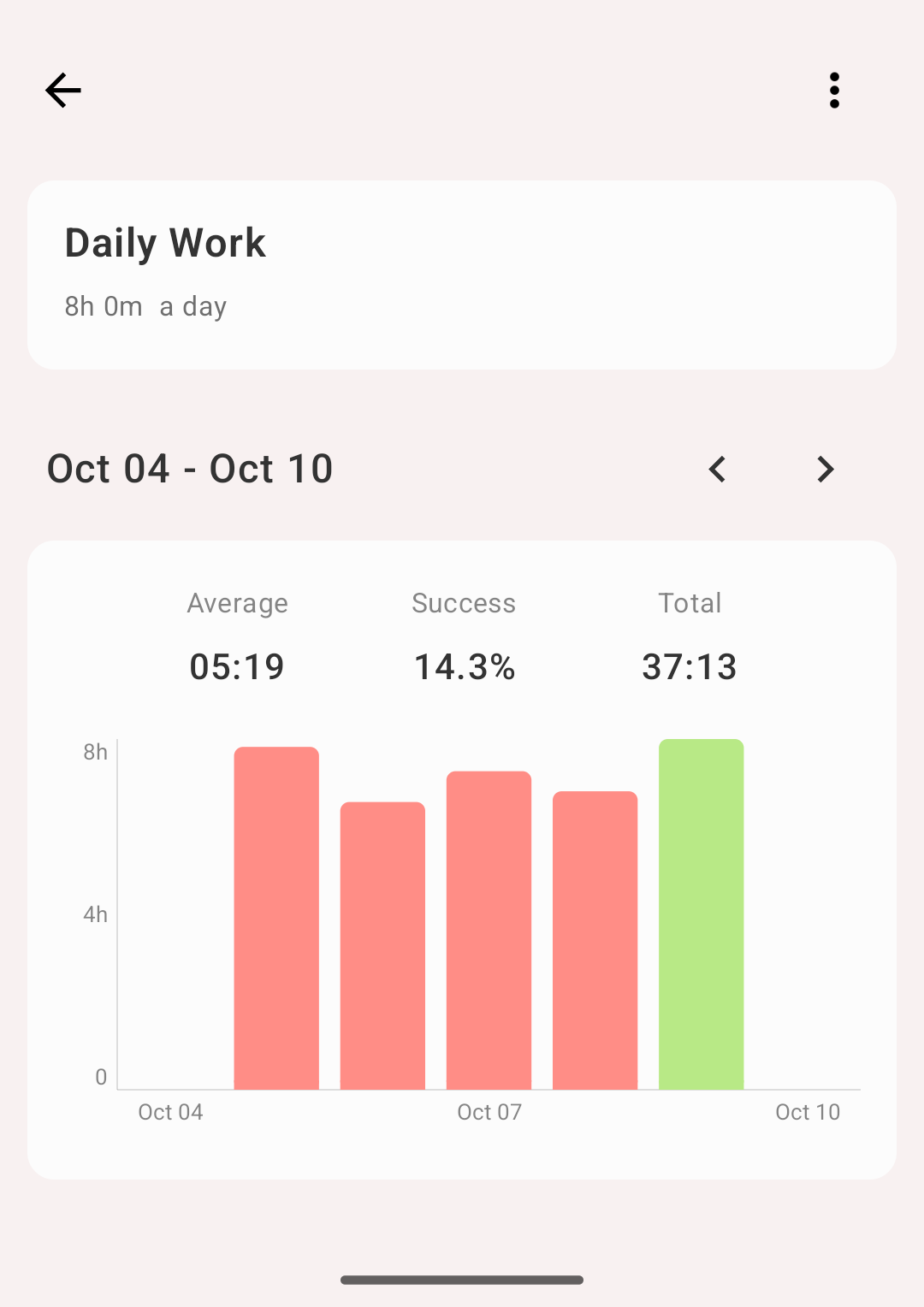
Goal details and history
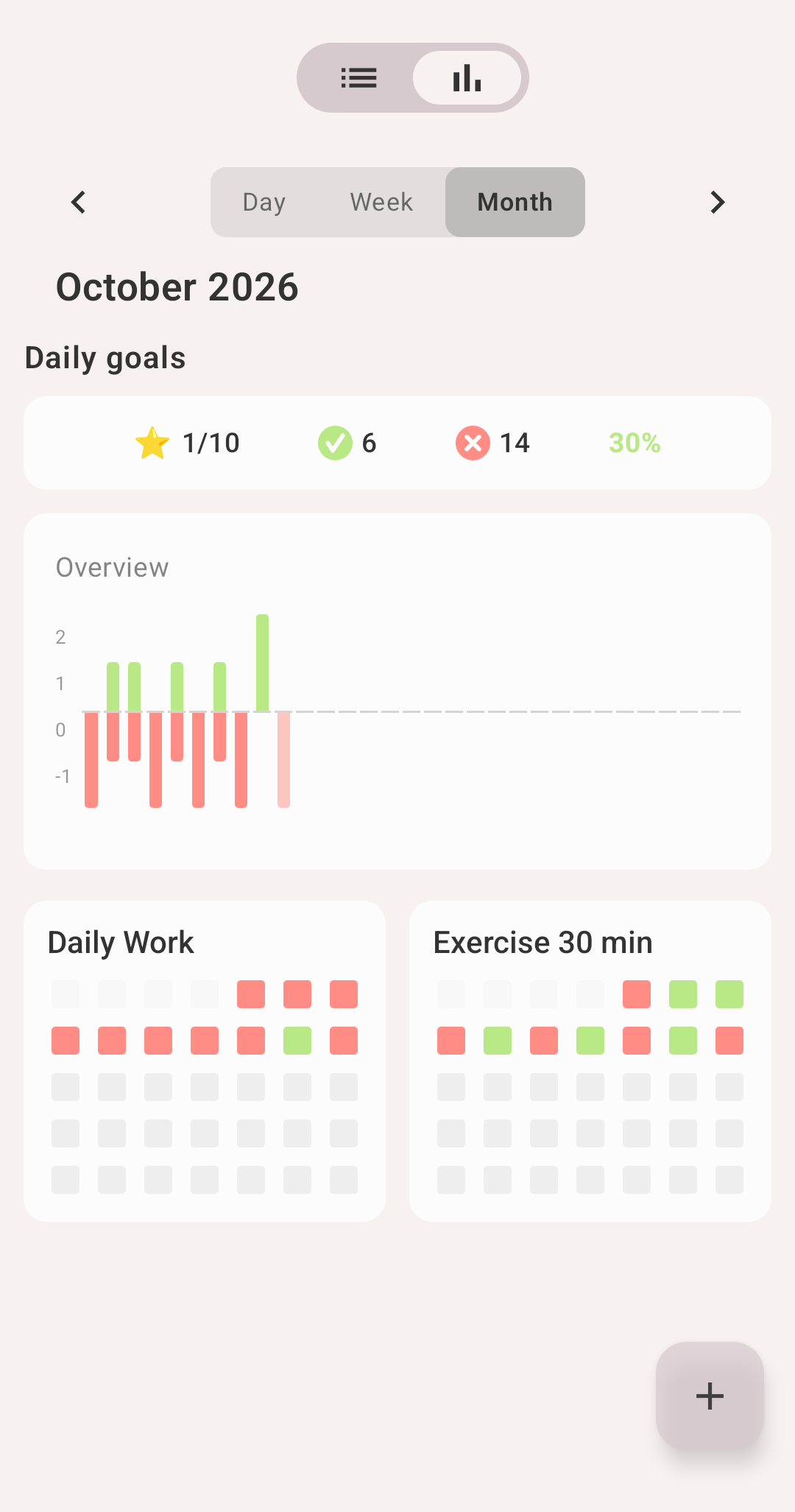
Goal statistics
Editing, archiving, deleting
Open the goal and use the actions menu:
- Edit — change any field
- Archive — hide the goal but keep its history
- Delete — remove it permanently
Archived goals move to their own section and can be brought back at any time.
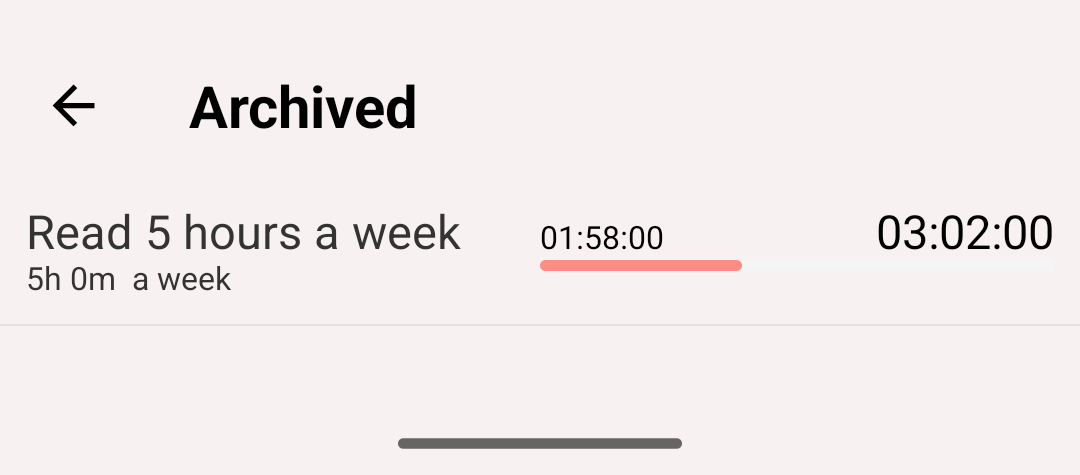
Archived goals
Info
Archiving is worth doing for goals you no longer follow. Every active goal is recalculated as you track, so a long list of stale goals makes the app do needless work.
Reordering
Press and hold a goal on the Goals tab and drag it where you want it. Put the goals you check daily at the top.
Goal widgets
A home screen widget can show goal progress without opening the app — see Widgets.