Remind Me
Notifications that ask What are you doing now? every few minutes, so you don't forget to log your time.
Activating Reminders
- Open More → Settings → Remind me
- Tick Remind me
- Set Hours. No reminders come until you pick at least one hour
On Android 12 and later, the app may open an Android settings screen to allow alarms and reminders. Allow it for aTimeLogger, or reminders can come late.
Configuration Options
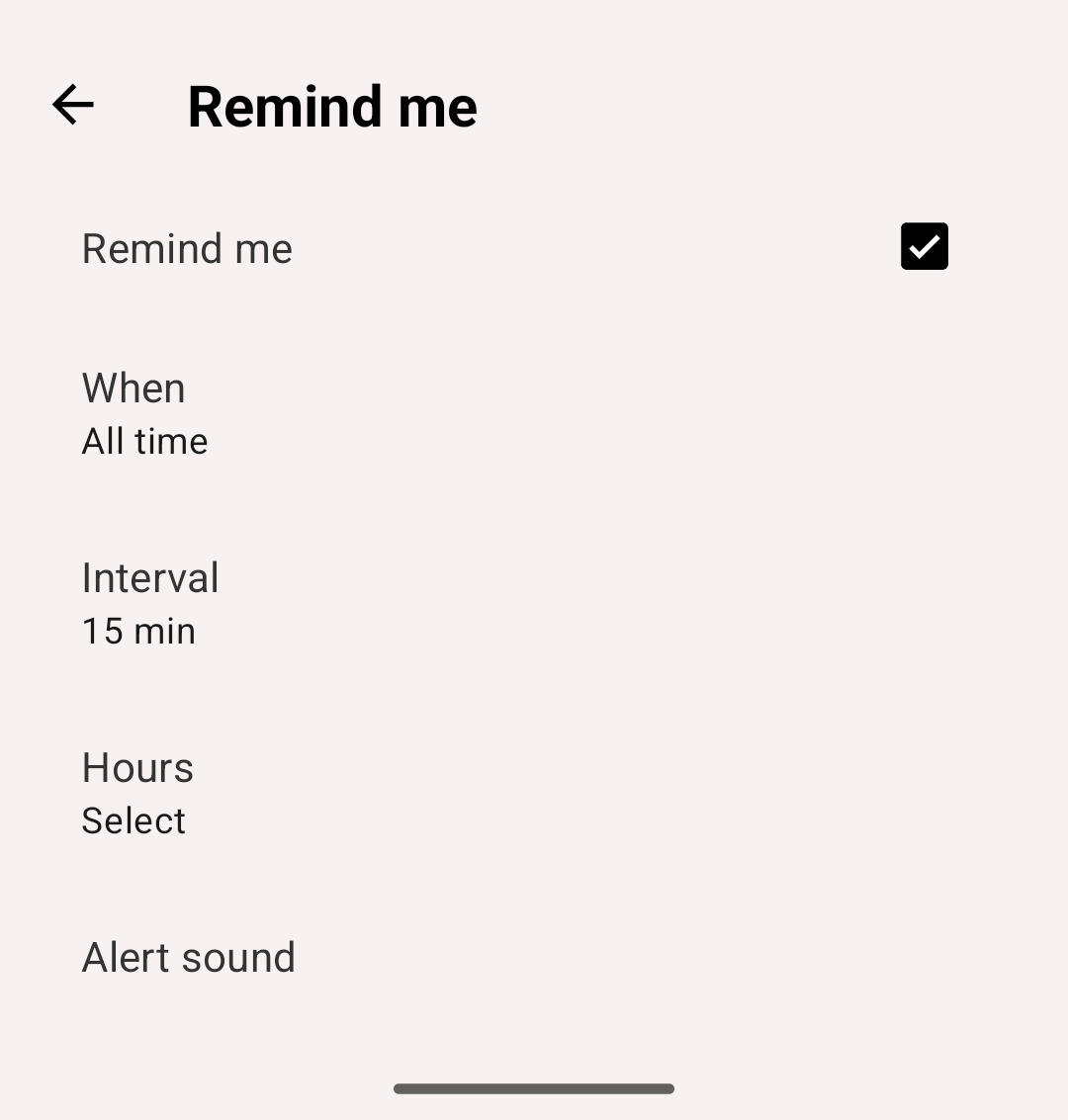
Remind me settings
When:
- All time — remind whether or not something is running
- When running — remind only while an activity is running. Paused activities don't count
- When not running — remind only while nothing is running
Interval:
- How often to remind you
- Options: 5 min, 10 min, 15 min, 20 min, 30 min, 45 min, 60 min or 120 min. The default is 15 min
Hours:
- The hours of the week when reminders may come
- A grid with a column for each day of the week and a row for each hour, from 0 to 23
- Tap a cell to turn one hour of one day on or off. Tap an hour's number to turn that hour on or off for every day. Then tap Save
- Example: for reminders from 8 AM to 9 PM on Monday to Friday, select the rows 8 to 20 in the Monday to Friday columns
Alert sound:
- Opens Android's settings for the app's Remind me notifications. Choose the sound there
Notification Behavior
- The interval starts again each time you open the app or start, stop or change an activity. While you use the app, no reminders come
- A reminder shows only when the app is not open on the screen
- It shows only in the hours you selected, and only if the When condition is met. Otherwise that reminder is skipped, and the app checks again after the next interval
- Tapping the notification opens the app
- A new reminder replaces the previous one. Swiping a reminder away doesn't change the schedule
Android Restrictions:
- Without the alarms and reminders permission, Android may delay reminders
- Some phones stop apps in the background to save battery. If reminders don't come, turn off battery optimization for aTimeLogger in Android settings