Countdown Timer
The Countdown mode tracks an activity for a time you choose and lets you know when the time is up: a 20-minute nap, 45 minutes of study, a quarter of an hour of tidying up. Unlike Pomodoro, there are no breaks: you set a time, it counts down, and you decide what happens next.
Info
Countdown is a premium feature.
Starting a countdown
- Open the Activities tab and tap the timer icon in the selector at the top.
- Set the time. Tap 5, 10, 15 or 20 for that many minutes, or turn the hours and minutes wheels. It starts at 5 minutes. Ends at under the wheels says when the countdown would end if you started it now.
- Tap Start, then tap the activity type in the sheet that opens. If Types in the countdown settings holds a single type, the countdown starts right away.
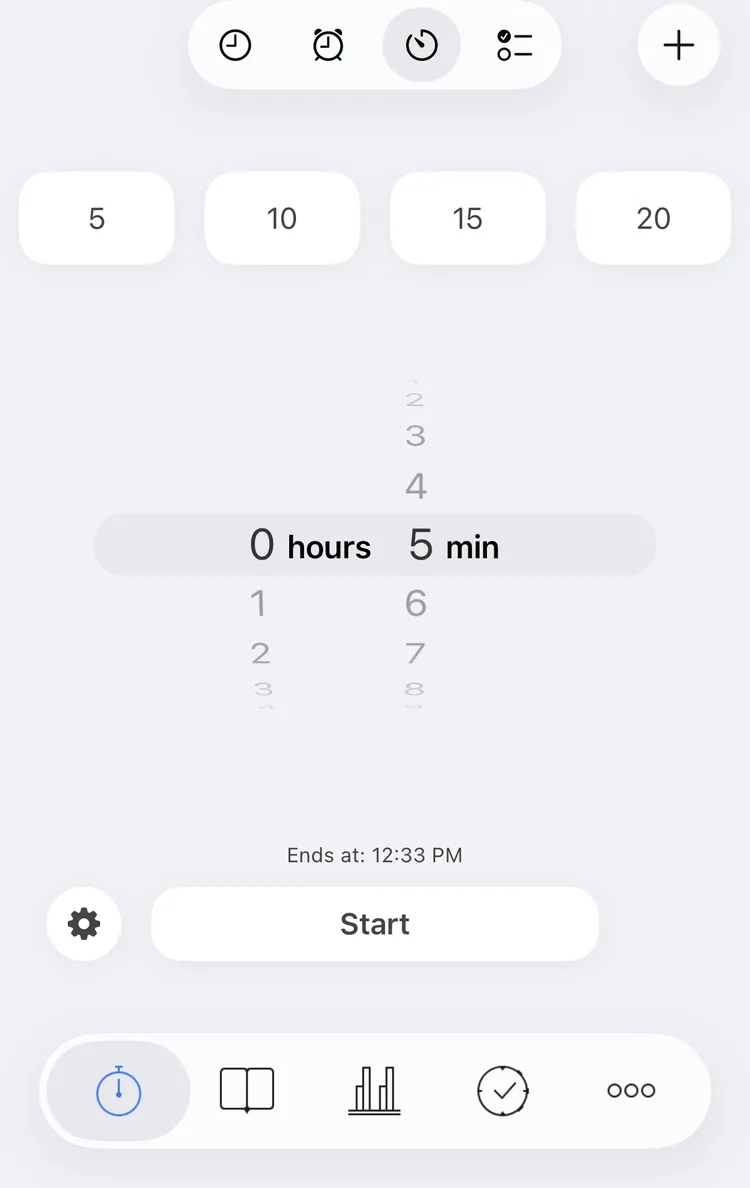
Setting a 5-minute countdown
The countdown starts a new activity of that type, an ordinary record that ends up in History like any other. The activities already running are paused, stopped or left running, as Settings → Activities → Action on start says (see Several activities at once).
While it runs
The dial shows the time left and when the countdown ends, and the ring empties as the time passes.
Quit ends the countdown, not the activity: the activity keeps running as an ordinary one, and the tab switches to the Activities mode, where you stop it when you are done.
While the Countdown mode is open, the screen stays on. The lock button on the Pomodoro dial changes that for both modes.
When the time is up
The countdown doesn't stop the activity: it keeps running until you stop it. The dial shows 00:00 until you tap Quit.
A notification shows the activity's time and type, like 00:45 Study, with these buttons:
- Add 5 minutes, Add 10 minutes or Add 15 minutes sets the countdown again, counting from the moment you tap
- Stop stops the activity
Settings
The gear button left of Start opens the countdown settings:
- Alert sound: the sound of the notification. Picking a sound plays it.
- Types: the types offered when you start a countdown. With All types, the default, every type is offered. Occurrence types are never offered.