Start in 5 Minutes
Start tracking with the activity types already in the app, then look back at your time.
1. Start an activity
On the Activities tab, tap what you are doing, such as Work. It appears at the top with a timer running.
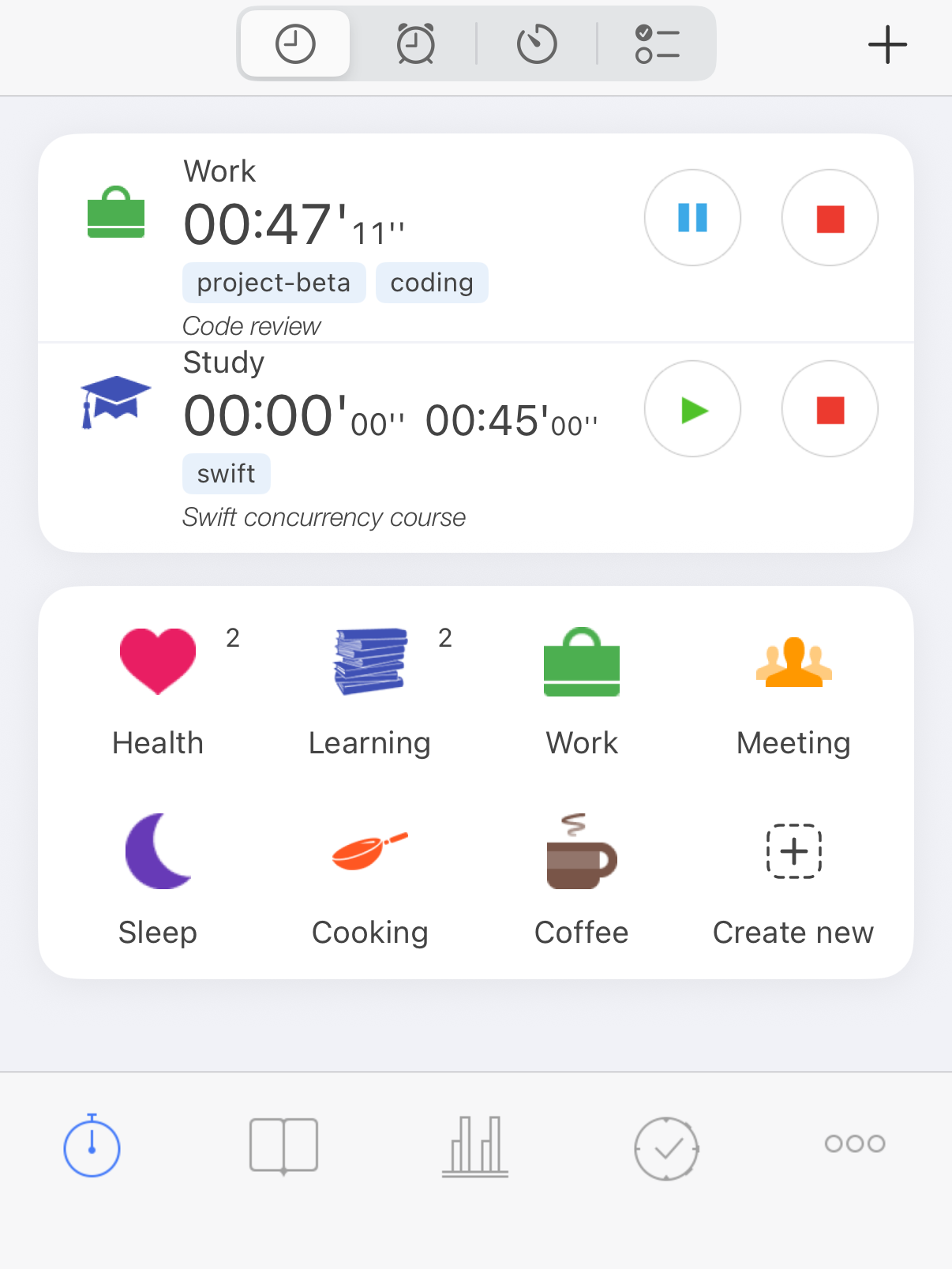
Work is running, Study is paused
2. Pause or stop
- Pause (blue) when you take a break: the activity stays on the tab, and Resume (green) carries on in the same record.
- Stop (red) when you are done: the record moves to History.
Starting another activity pauses the first one by default. To track two things at once, see Several activities at once.
3. See where your time went
Open History to see your records by day. Tap a record to correct its times or add a comment.
Open Statistics to see how much time you spent on each activity type. Choose the period at the top.
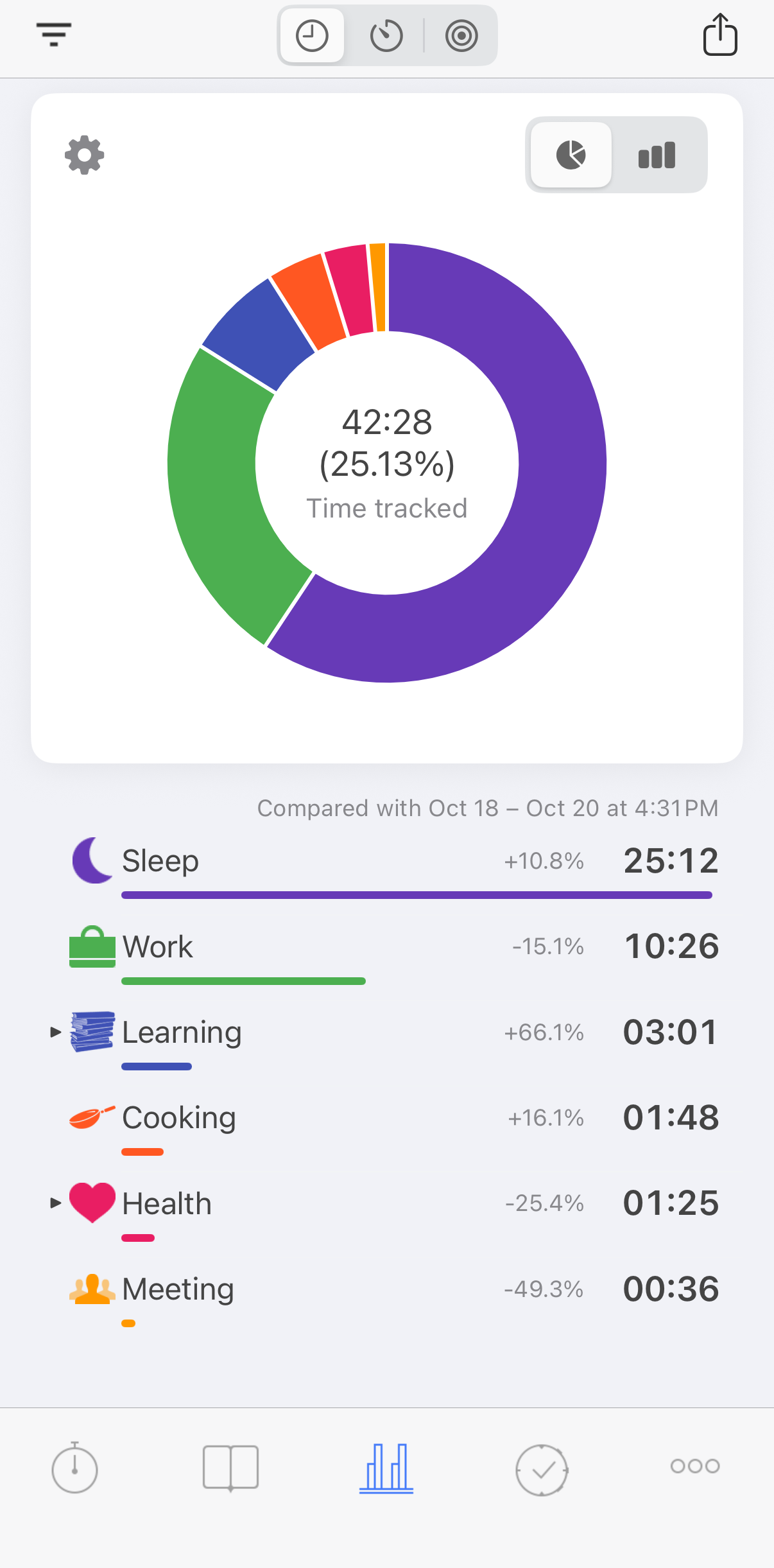
Where this week went
See History and Statistics.
Next
- Correct a record or add time you forgot to track.
- Set a goal, such as 30 minutes of exercise a day.
- Add your own activity types (premium).
- Start and stop with Widgets, Siri and Shortcuts or Apple Watch.
- Keep your records safe with a backup, or sync them with your other devices.